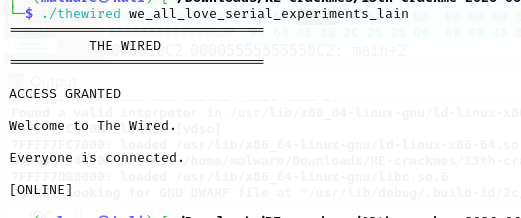
the wired
The Wired awaits... goodluck

This binary involves a repeating XOR key that is used to decrypt different message bytes depending on the path you land on. I encountered something new here: XMM registers. These are large registers; 128 bits, which is twice the size of standard RAX 64-bit registers. They are mainly used for Single Instruction Multiple Data (SIMD). This means they can hold multiple numbers at once and perform calculations on all of them in a single step or CPU cycle. In debuggers, the data is usually represented as a float, but you can change the settings to show it as an int32.
I recently discovered a better way to approach my RE work. Instead of just dumping the binary in a debugger and getting overwhelmed, I look at the strings and imports to get a better understanding of what the binary is trying to do. This way I get direction on what to look out for and what questions to ask. For example, if I come across a fwrite string in the binary, then I know there is a file that has been opened and is being written to. The questions following this would be: why are we writing data into a file?, what data are we writing into this file?, and what file is this?. This gives me a much clearer direction on where to look instead of getting bombarded by so much and getting lost.
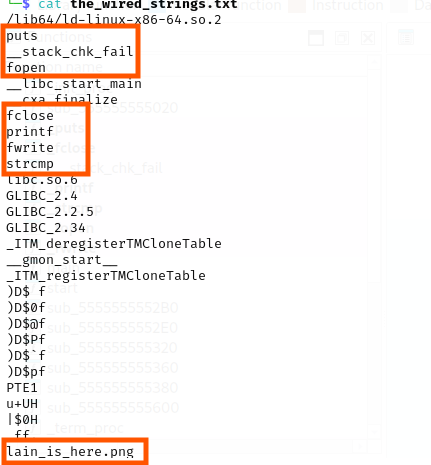
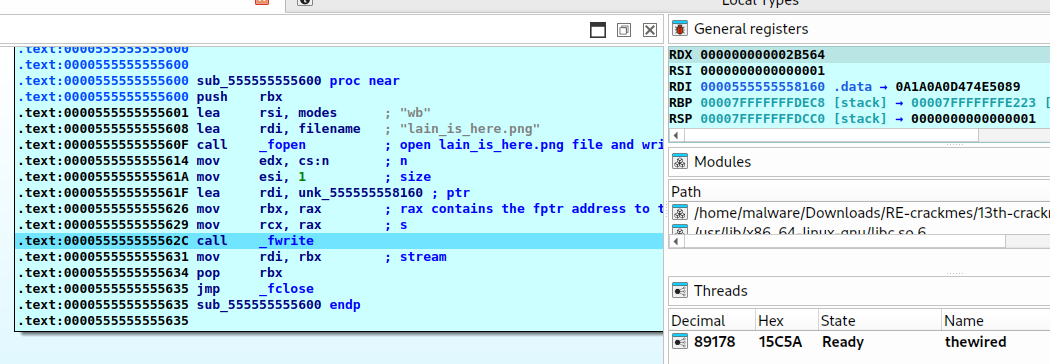
Here are some of the interesting strings identified. From this I can tell there is a file being written to, some string comparison happening (likely for the password), and the file name that is likely being written to: lain_is_here.png. A total of 177,508 bytes or 177 KB are written into the file.
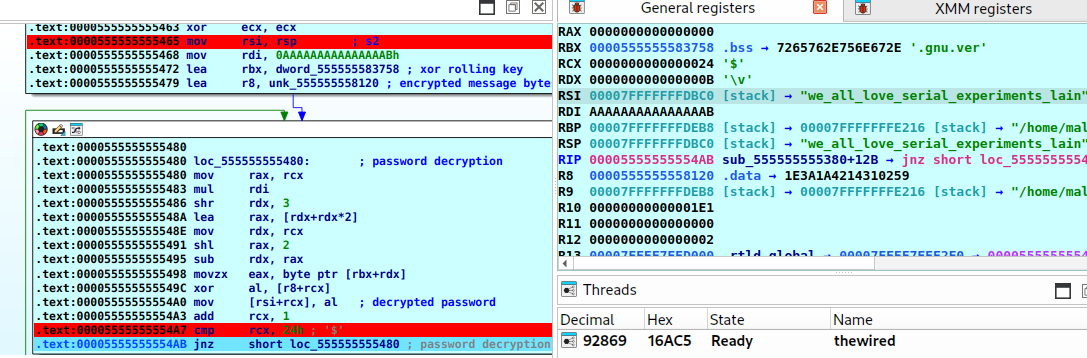
Decryption
The decryption loop is repeated 5 times across the different paths in the binary. The only thing that changes between these 5 blocks is the number of bytes being decrypted and output:
- The Sad Path / Argument Check: If you run the program with only one argument, it automatically takes you to the default output message:
[-] The Wired is just a higher field of reality(48 bytes /30hloop limit). - The Incorrect Password Path: If you pass the wrong password, it outputs:
[-] Incorrect Password(23 bytes /17hloop limit). - The Password Decryption: Inside the comparison logic, it decrypts the correct password block to check it
we_all_love_serial_experiments_lain(36 bytes /24hloop limit). - The Success Path: If you enter the correct password, it decrypts the final success message (173 bytes /
0ADhloop limit).
-
The Message Bytes: The encrypted message bytes are always loaded into the
R8register. -
The Key: The repeating XOR key is loaded into the
RBXregister, pointing to the.bsssection where the".gnu.version"string lives. -
The Math (Modulo 12): To pick the right byte from the 12-byte key on each iteration, the program needs to calculate
rcx % 12(the remainder when dividing the loop counter by 12). Normally a division instruction would be used for this, but division is slow and expensive on the CPU. So, the compiler figures this out in three quick steps:- Multiply the loop counter by a constant (
0xAAAAAAAAAAAAAAAB) and shift the result to get the quotient (how many full times 12 fits into the counter). The constant is essentially a pre-baked shortcut for dividing by 12, disguised as a multiplication so the CPU can do it faster. - Multiply that quotient back by 12.
- Subtract the result from the original counter to get the remainder.
So for a loop counter of
14: quotient is1, multiply back to get12, subtract to get14 - 12 = 2. That2is the key index grab byte at position 2 fromRBX, XOR it with the message byte at position 14 fromR8. - Multiply the loop counter by a constant (
strcmp
After the program decrypts the correct password block, it uses the standard C library function strcmp to compare this password against your user input.
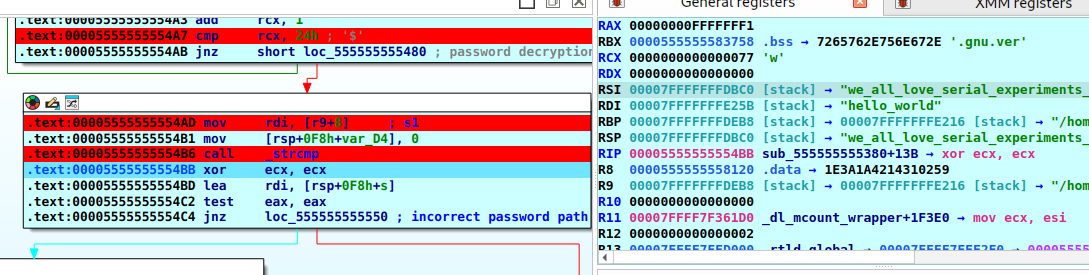
During execution, strcmp takes the decrypted password we_all_love_serial_experiments_lain (visible in RSI) and compares it with the input passed in:
- If they match exactly,
strcmpreturns0inRAX. - If they don't, it returns a non-zero value.